Documentation
The calendar
Every session you record is a block on the calendar, in its project's colour. The calendar is where a week gets corrected: phones are good at starting timers and bad at fixing them.
Day, week, month and year
Calendar on the navbar opens the day beside the record screen, with the day's total at the top and a line at the current time. The expand button opens the calendar as a full-window view with four tabs:
- Day: one column, from midnight, with room to read every description.
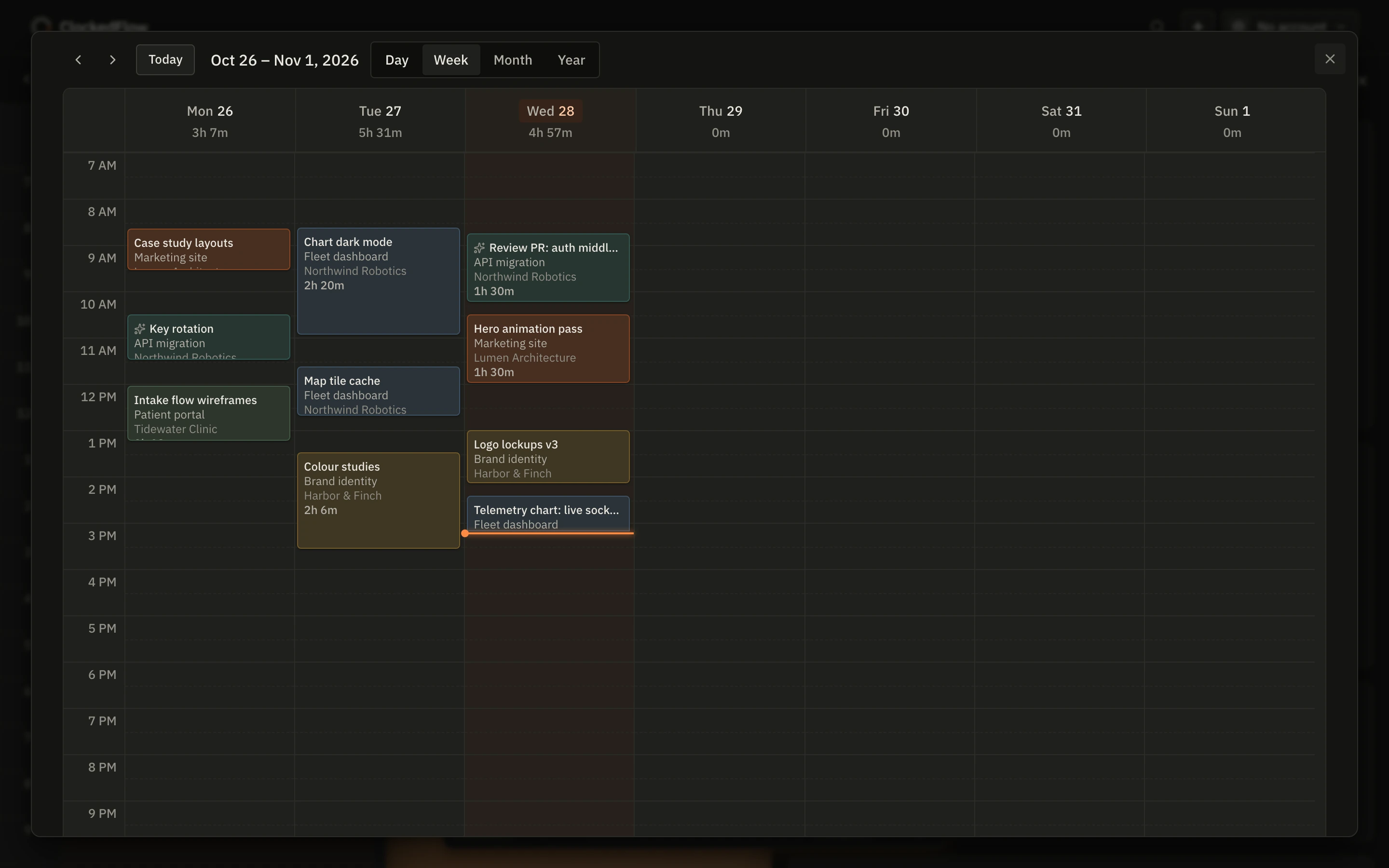
- Week: seven columns with a total per day. Sessions that overlap sit side by side rather than hiding each other.
- Month: every day's sessions and hours, with "+n more" where a day is full.
- Year: a heat grid of how much you tracked each day.
Today brings you back to today; the arrows move a day, week, month or year at a time. The view you're on is in the URL, so a particular week can be bookmarked.
Editing with the mouse
- Create: drag on empty space, from when you started to when you stopped.
- Move: drag the body of a block to another time or day.
- Resize: drag the top or bottom edge.
- Open: click a block to change its project, to-do, description, start and end, or to delete it.
Everything snaps to 15-minute increments, and a block is never shorter than 15 minutes. Blocks lay out the way they do in a calendar app: a session that overlaps another is placed beside it.
Editing with the keyboard
Every block is focusable. Tab moves between them, Enter or Space opens one, and the form that opens is an ordinary form: type the times you meant. The + button in the header adds an entry anywhere in the app. Nothing on the calendar needs a drag.
The session that's running
A running session is a block that grows. It ends at the current-time line and shows its project and to-do. Pausing stops the block; resuming starts a new one next to it, so a session with a break shows as two blocks with a gap that is never billed. See how the timer works.
Where a session came from
Blocks recorded by the Claude Code add-on carry a small spark icon, so time the desktop app tracked by itself is always distinguishable from time you pressed Start for.
What the calendar means for invoices
Invoices are made from the calendar's blocks: each one carries the rate that applied when it was recorded and whether it is billable. Fixing a block fixes the invoice it will land on. A block that has already been invoiced is marked, and editing it does not change the invoice that went out.
Next: Projects and to-dos